
Work Text:
Sent Message: Hi 12:31 
This is an updated Whatsapp work skin template! 12:31
Received Message:I improved a few things from my previous work skin, fixed some mistakes and added new stuff 12:32
Take a look! 12:33
INDEX
3.10. Scrollable template with background
1. INTRO
This is an updated version of my old whatsapp template, in which I fix a few things.
This work skin is made in a way that the fic is still readable even without creator's style on, such as when you download a fic or for people who have creator’s style hidden as the default option. You can click on “hide creator’s style” on top of the page later to see how it looks. It’s supposed to be screen reader friendly, though I have a few issues, such as: time stamps being read, which can be annoying for long text exchanges. Aria-hidden=true doesn’t seem to work on ao3, so I am still clueless about how to solve this issue.
I use <span class="screenreader"> for accessibility and formatting reasons. It creates an invisible text that is read by screen readers and turns visible when the work skin is hidden. It’s included in this skin.
Thanks to ovely, who made some improvements to the whatsapp skin! I took a few things such as replying/quoting a message, links and the info stamps base from there.
2. CSS
This is the whole code for your workskin.
To create a work skin you go to your skins, work skins, then you create a new one and paste this code there. When you create your new wip, then you will choose to use the skin you created.
You can only use a skin per fic, so you can combine different skin in a single one (for example, a whatsapp and a twitter template), but make sure they’re not conflicting with each other.
I'm doing us all a favor and putting this ridiculously long code here, so you can click on "raw" and ctrl+a everything.
3. HTML
This is how you’ll write the fic. Screen reader text is green, messages content is pink and other stuff, such as time stamps, contact name, etc, is blue.
You can use this work skin in three different ways: text bubbles only, text bubbles with a chat header, and a full whatsapp template, with background image and scrollable. There is also a dark theme version.
3.1 Plain text and emojis
Text with no time stamps:
<div class="wpp">
<div class="light">
<p><span class="sent1"><span class="screenreader"><strong>Sent Message: </strong></span>Hi </span><p>
<p><span class="sent2">This is a text message</span></p>
<p><span class="received1"><span class="screenreader"><i>Received Message: </i></span>And this is another one!</span></p>
<p><span class="received2">And another! It can be any size you want, so your characters can write whole essays if they want to lmao</span></p>
</div></div>
Sent Message: Hi
This is a text message
Received Message: And this is another one!
And another! It can be any size you want, so your characters can write whole essays if they want to lmao
Text with time stamps:
<div class="wpp">
<div class="light">
<p><span class="sent1"><span class="screenreader"><strong>Sent Message: </strong></span>Hi <span class="time"> 12:31 <img src="https://i.ibb.co/kDbyD3c/bluecheck.png" alt=" " width="15px" /></span></span><p>
<p><span class="sent2">This is a text message<span class="time"> 12:32 <img src="https://i.ibb.co/kDbyD3c/bluecheck.png" alt=" " width="15px" /></span></span></p>
<p><span class="received1"><span class="screenreader"><i>Received Message: </i></span>And this is another one!<span class="time"> 12:32</span></span></p>
<p><span class="received2">And another! It can be any size you want, so your characters can write whole essays if they want to lmao<span class="time"> 12:35</span></span></p>
</div></div>
Sent Message: Hi 12:31
This is a text message 12:32
Received Message: And this is another one! 12:32
And another! It can be any size you want, so your characters can write whole essays if they want to lmao 12:35
You can freely add or remove time stamps and read/received receipts, in any kind of messages (text only, emojis, pictures, etc).
For emoji only text, we have size, for 1 emoji, size 2, for 2 to 4 emojis, and for more than 5 emojis you just use the regular text messages.
<div class="wpp">
<div class="light">
<p><span class="sent1"><span class="screenreader"><strong>Sent Message: </strong></span><span class="emoji1">💗 </span><span class="timeemoji"> 12:31 <img src="https://i.ibb.co/kDbyD3c/bluecheck.png" alt=" " width="15px" /></span></span><p><p></span><span class="sent2"><span class="emoji2">💗💗💗💗</span><span class="time"> 12:31 <img src="https://i.ibb.co/kDbyD3c/bluecheck.png" alt=" " width="15px" /></span></span></p>
<p></span><span class="sent2">💗💗💗💗💗💗<span class="time"> 12:31 <img src="https://i.ibb.co/kDbyD3c/bluecheck.png" alt=" " width="15px" /></span></span></p>
<p><span class="received1"><span class="screenreader"><i>Received Message:</i></span><span class="emoji1">💗</span><span class="timeemoji"> 12:31</span></span></p>
<p><span class="received2"><span class="emoji2">💗💗💗💗</span><span class="time"> 12:31</span></span></p>
<p><span class="received2">💗💗💗💗💗💗<span class="time"> 12:31</span></span></p>
</div></div>
Sent Message: 💗 12:31
💗💗💗💗 12:31
💗💗💗💗💗💗 12:31
Received Message: 💗 12:31
💗💗💗💗 12:31
💗💗💗💗💗💗 12:31
3.2 Images and videos
<div class="wpp">
<div class="light">
<p><span class="sent1"><span class="screenreader"><strong>Sent Message: </strong></span><img class="media" src="https://i.ibb.co/wMC1ZGz/cb.jpg" alt="A close-up picture of an orange cat facing right." width="40%"/><span class="timemedia"> 12:31 <img src="https://i.ibb.co/hMNKH8h/whitecheck2.png" alt=" " width="15px" /></span></span></p>
<p><span class="received1"><span class="screenreader"><strong>Received Message: </strong></span><img class="media" src="https://i.ibb.co/tb6K19Z/img6.png" alt="A poster of the character Xue Meng from 2ha." width="40%"/><span class="timemedia"> 12:31 </span></span></p>
<p><span class="received2"><span class="screenreader"><strong>Received Message: </strong></span><video class="media" src="https://raw.githubusercontent.com/wanningzinho/tai/main/rw.mp4" alt="A video of baby huskies squishing and licking a white cat." width="40%"/><span class="timemedia"> 12:31</span></span></p>
</div></div>
Sent Message:  12:31
12:31 
Received Message: 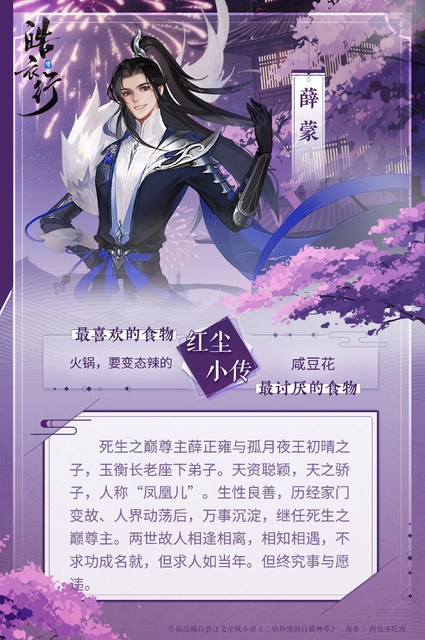 12:31
12:31
Received Message: 12:31
I put that width="40%" on the images just so it doesn't look too weird with creator's style hidden.
3.3 Voice messages
<div class="wpp">
<div class="light">
<div class="sent"><p><span class="sent1"><span class="screenreader"><strong>Sent Message: </strong></span><img class="voicemessagesent" src="https://i.ibb.co/Xz6d1Wh/sent-audio-light-ucokig.png" alt=" " width="40%"/> <img class="icon" src="https://i.ibb.co/3vgJyDn/gm.png" alt=" " width="20px"/><span class="voicetimersent"> 0:03</span><span class="time"> 12:31 <img src="https://i.ibb.co/kDbyD3c/bluecheck.png" alt=" " width="15px" /></span><audio><source src="https://raw.githubusercontent.com/wanningzinho/tai/main/xm.mp3"></span></div>
<div class="received"><p><span class="received1"><span class="screenreader"><strong>Received Message: </strong></span><img class="voicemessagereceived" src="https://i.ibb.co/SJ5bqLH/received-audio-light-xotekl.png" alt=" " width="40%"/> <img class="icon" src="https://i.ibb.co/3vgJyDn/gm.png" alt=" " width="20px"/><span class="voicetimerreceived"> 0:03</span><span class="time2"> 12:31</span><audio><source src="https://raw.githubusercontent.com/wanningzinho/tai/main/xm.mp3"></span></div>
</div></div>
Sent Message:  0:03 12:31

Received Message: 0:03 12:31

For any icon, use square images! I’ve had a few problems in this skin when using images with ratios other than 1:1.
3.4 Quoting a text
<div class="wpp">
<div class="light">
<p><span class="sent1"><span class="screenreader"><strong>Sent Message, replying to: </strong></span><span class="quotesentgreen1"><span class="fromgreen1">Person A</span><br />Quoted message</span><span class="screenreader"><br /></span>Actual message<span class="time"> 12:31 <img src="https://i.ibb.co/kDbyD3c/bluecheck.png" alt=" " width="15px" /></span></span></p>
<p><span class="sent2"><span class="quotesentgreen1"><span class="screenreader"><strong>Replying to: </strong></span><span class="fromgreen1">Person A</span><br />A longer quoted message, that takes up a couple of lines</span> <span class="screenreader"><br /></span>Another message.<span class="time"> 12:31 <img src="https://i.ibb.co/kDbyD3c/bluecheck.png" alt=" " width="15px" /></span></span></p>
<p><span class="received1"><span class="screenreader"><i>Received Message, replying to: </i></span><span class="quotereceivedpink2"><span class="frompink2">Person B</span><br />Actual message</span><span class="screenreader"><br /></span>Hi. More text.<span class="time"> 12:31</span></p>
<p><span class="received2"><span class="quotereceivedpink2"><span class="screenreader"><i>Replying to: </i></span><span class="frompink2">Person B</span><br />Another message.</span><span class="screenreader"><br /></span>I should probably be using lorem ipsum at this point<span class="time"> 12:31</span></p>
</div></div>
Sent Message, replying to: Person A
Quoted message
Actual message 12:31
Replying to: Person A
A longer quoted message, that takes up a couple of lines
Another message. 12:31
Received Message, replying to: Person B
Actual message
Hi. More text. 12:31
Replying to: Person B
Another message.
I should probably be using lorem ipsum at this point 12:31
To change the color, just rename “quotesent[color]”, “quotereceived[color]” and “from[color]”.
Available colors:
green1
green2
green3
green4
green5
yellow
brown1
brown2
red
pink1
pink2
purple1
purple2
blue1
blue2
blue3
3.5 Sending links
<div class="wpp">
<div class="light"><p><span class="sent1"><span class="screenreader"><strong>Sent Message: </strong></span><span class="previewsent"><img src="https://i.ibb.co/tDb1HFL/700-nxi5a2.jpg" alt="An image of Mo Ran smiling, wearing sisheng peak blue disciple robes and holding a closed umbrella." width="40%" /><span class="titleimg">Mo Ran<br /></span>Mo Ran (墨燃, Mò Rán) is<br /><span class="previewlinksent">https://the-husky-and-his-white-cat-shizun.fandom.com</span><br /></span><span class="links">https://the-husky-and-his-white-cat-shizun.fandom.com/wiki/Mo_Ran</span><span class="time"> 12:31 <img src="https://i.ibb.co/kDbyD3c/bluecheck.png" alt=" " width="15px" /></span></span></p>
<p><span class="sent2"><span class="previewsent"><span class="previewtitle">i think theres been a glitch - sweetsweetdays (wanningzinho…</span><br/>An Archive of Our Own, a project of the<br /><span class="previewlinksent">archiveofourown.org</span><br /></span><span class="links">/works/458378</span><span class="time"> 12:31 <img src="https://i.ibb.co/kDbyD3c/bluecheck.png" alt=" " width="15px" /></span></span></p>
<p><span class="received1"><span class="screenreader"><i>Received Message: </i></span><span class="previewreceived"><img src="https://i.ibb.co/tDb1HFL/700-nxi5a2.jpg" alt="An image of Mo Ran smiling, wearing sisheng peak blue disciple robes and holding a closed umbrella." width="40%" /><span class="titleimg">Mo Ran<br /></span>Mo Ran (墨燃, Mò Rán) is<br /><span class="previewlinkreceived">https://the-husky-and-his-white-cat-shizun.fandom.com</span><br /></span><span class="links">https://the-husky-and-his-white-cat-shizun.fandom.com/wiki/Mo_Ran</span><span class="time"> 12:31</span></span></p>
<p><span class="received2"><span class="previewreceived">
<span class="previewtitle">i think theres been a glitch - sweetsweetdays (wanningzinho…</span><br/>An Archive of Our Own, a project of the<br /><span class="previewlinkreceived">archiveofourown.org</span></span><span class="links">/works/458378</span><span class="time"> 12:31</span></span></p></div></div>
Sent Message:  Mo Ran
Mo Ran (墨燃, Mò Rán) is
https://the-husky-and-his-white-cat-shizun.fandom.com
https://the-husky-and-his-white-cat-shizun.fandom.com/wiki/Mo_Ran 12:31
i think theres been a glitch - sweetsweetdays (wanningzinho...
An Archive of Our Own, a project of the
archiveofourown.org
/works/458378 12:31
Received Message: Mo Ran
Mo Ran (墨燃, Mò Rán) is
https://the-husky-and-his-white-cat-shizun.fandom.com
https://the-husky-and-his-white-cat-shizun.fandom.com/wiki/Mo_Ran 12:31
i think theres been a glitch - sweetsweetdays (wanningzinho...
An Archive of Our Own, a project of the
archiveofourown.org /works/458378 12:31
The picture in the link preview works better with a 1:1 ratio too.
3.6 Group chats
<div class="wpp">
<div class="light">
<p><span class="sent1"><span class="screenreader"><strong>Sent Message: </strong></span>This is a group chat<span class="time"> 12:31 <img src="https://i.ibb.co/kDbyD3c/bluecheck.png" alt=" " width="15px" /></span></span></p>
<p><span class="received1"><span class="screenreader"><i>Received Message from:</i></span><span class="fromgreen1">Person A</span><br />You probably noticed by now, but I’m not changing timestamps in any messages<span class="time"> 12:31</span></span></p>
<p><span class="received2">They’re here just because I’m using the complete template. But to be honest, if time isn’t really important to your fic you can get read of it and maybe keep only read receipts for aesthetics only - or maybe not even that! You decide<span class="time"> 12:31</span></p>
<p><span class="received1"><span class="screenreader"><i>Received Message from:</i></span><span class="frompurple2">Person C</span><span class="screenreader"><i>Replying to: </i></span><span class="quotereceivedpink2"><span class="frompink2">Person B</span><br />This is a group chat</span><span class="screenreader"><br /></span>Indeed<span class="time"> 12:31</span></span></p>
</div></div>
Sent Message: This is a group chat 12:31
Received Message from:Person A
You probably noticed by now, but I’m not changing timestamps in any messages 12:31
They’re here just because I’m using the complete template. But to be honest, if time isn’t really important to your fic you can get read of it and maybe keep only read receipts for aesthetics only - or maybe not even that! You decide 12:31
Received Message from:Person CReplying to: Person B
This is a group chat
Indeed 12:31
3.7 Reactions
<div class="wpp">
<div class="light">
<p><span class="sent1"><span class="screenreader"><strong>Sent Message: </strong></span>One reaction<span class="time"> 12:31 <img src="https://i.ibb.co/kDbyD3c/bluecheck.png" alt=" " width="15px" /></span></span></p><div class="reactionsent"><span class="reaction"><span class="screenreader">Reactions: </span>💗</span></div></p>
<p><span class="sent2">Multiple reactions <span class="time"> 12:31 <img src="https://i.ibb.co/kDbyD3c/bluecheck.png" alt=" " width="15px" /></span></p><div class="reactionsent"><span class="reaction"><span class="screenreader">Reactions: </span>💗2</span></div>
<p><span class="sent2">Multiple reactions with different emojis<span class="time"> 12:31 <img src="https://i.ibb.co/kDbyD3c/bluecheck.png" alt=" " width="15px" /></span></span></p><div class="reactionsent"><span class="reaction"><span class="screenreader">Reactions: </span>😭🤦💗3</span></div>
<p><span class="received1"><span class="screenreader"><i>Received Message:</i></span>One reaction again<span class="time"> 12:31</span></p> <div class="reactionreceived"><span class="reaction"><span class="screenreader">Reactions: </span>💗</span></div></p>
</div></div>
Sent Message: One reaction 12:31
Reactions: 💗
Multiple reactions 12:31
Reactions: 💗2
Multiple reactions with different emojis 12:31
Reactions: 😭🤦💗3
Received Message:One reaction again 12:31
Reactions: 💗
3.8 Date and other info
<div class="wpp">
<div class="light">
<div class="info"><p><strong>Today</strong></p></div><p><span class="sent1"><span class="screenreader"><strong>Sent Message: </strong></span>Hi<span class="time"> 12:31 <img src="https://i.ibb.co/kDbyD3c/bluecheck.png" alt=" " width="15px" /></span></span><p>
<div class="info"><p>Person A removed Person B</p></div>
<p><span class="sent1"><span class="screenreader"><strong>Sent Message: </strong></span>Bye hehe<span class="time"> 12:31 <img src="https://i.ibb.co/kDbyD3c/bluecheck.png" alt=" " width="15px" /></span></span><p>
</div></div>
Today
Sent Message: Hi 12:31
Person A removed Person B
Sent Message: Bye hehe 12:31
3.9 Chat header
<div class="wpp">
<div class="light"><div class="header"><img class="button1" src="https://i.ibb.co/GxfS8Nj/ezgif-com-webp-to-png-sjiyil.png" alt=" " width="20px" /><img class="icon" src="https://i.ibb.co/DkbmpCD/defaultuser.png" alt=" " width="20px" /><span class="contact"><span class="screenreader">Whatsapp chat with: </span>Person B</span><img class="button2" src="https://i.ibb.co/891LJCS/266-2667944-facebook-icon-phone-white-icon-transparent-zdq9c2.png" alt=" " width="20px" /><img class="button3" src="https://i.ibb.co/3zkHGRT/c9807b94064757148d96222b663faa36-evpazj.png" alt=" " width="20px" /></div>
<p><span class="sent1"><span class="screenreader"><strong>Sent Message: </strong></span>This chat has a header<span class="time"> 12:31 <img src="https://i.ibb.co/kDbyD3c/bluecheck.png" alt=" " width="15px" /></span></span><p></div>
</div>

 Whatsapp chat with: Person B

Sent Message: This chat has a header 12:31
Group chat header:
<div class="wpp">
<div class="light"><div class="header"><img class="button1" src="https://i.ibb.co/GxfS8Nj/ezgif-com-webp-to-png-sjiyil.png" alt=" " width="20px" /><img class="icon" src="https://i.ibb.co/DkbmpCD/defaultuser.png" alt=" " width="20px" /><span class="group"><span class="screenreader">A group chat called:</span>Group name</span><span class="groupmembers"> <span class="screenreader">with: </span>Person A, Person B, Pers…</span><img class="button2" src="https://i.ibb.co/891LJCS/266-2667944-facebook-icon-phone-white-icon-transparent-zdq9c2.png" alt=" " width="20px" /><img class="button3" src="https://i.ibb.co/3zkHGRT/c9807b94064757148d96222b663faa36-evpazj.png" alt=" " width="20px" /></div>
<p><span class="sent1"><span class="screenreader"><strong>Sent Message: </strong></span>A group chat header is similar to a regular chat one<span class="time"> 12:31 <img src="https://i.ibb.co/kDbyD3c/bluecheck.png" alt=" " width="15px" /></span></span><p>
<p><span class="received1"><span class="screenreader"><i>Received Message from:</i></span><span class="frompurple2">Person C</span><br />The difference is that it lets you list a few group members<span class="time"> 12:32</span></span></p>
<p><span class="received2">If you don't want to do that, you can use the other header for group chats too<span class="time"> 12:33</span></span></p>
</div>
</div>
A group chat called:Group name with: Person A, Person B, Pers...
Sent Message: A group chat header is similar to a regular chat one 12:31
Received Message from:Person C
The difference is that it lets you list a few group members 12:32
If you don't want to do that, you can use the other header for group chats too 12:33
3.10 Scrollable template with background
<div class="wpp">
<div class="light"><div class="header"><img class="button1" src="https://i.ibb.co/GxfS8Nj/ezgif-com-webp-to-png-sjiyil.png" alt=" " width="20px" /><img class="icon" src="https://i.ibb.co/DkbmpCD/defaultuser.png" alt=" " width="20px" /><span class="contact"><span class="screenreader">Whatsapp chat with: </span>Person B</span><img class="button2" src="https://i.ibb.co/891LJCS/266-2667944-facebook-icon-phone-white-icon-transparent-zdq9c2.png" alt=" " width="20px" /><img class="button3" src="https://i.ibb.co/3zkHGRT/c9807b94064757148d96222b663faa36-evpazj.png" alt=" " width="20px" /></div>
<div class="bg1"><div class="info"><p><strong>Today</strong></p></div>
<p><span class="sent1"><span class="screenreader"><strong>Sent Message: </strong></span>For a complete whatsapp layout just add the bold parts<span class="time"> 12:31 <img src="https://i.ibb.co/kDbyD3c/bluecheck.png" alt=" " width="15px" /></span></span><p>
<p><span class="sent2">And then you get a scrollable chat, with background!<span class="time"> 12:31 <img src="https://i.ibb.co/kDbyD3c/bluecheck.png" alt=" " width="15px" /></span></span></p>
<p><span class="received1"><span class="screenreader"><i>Received Message:</i></span>So, there’s just one thing about the background!!!<span class="time"> 12:32</span></span></p>
<p><span class="received2">The background image or color must be set in the work skin<span class="time"> 12:33</span></span></p>
<p><span class="sent1"><span class="screenreader"><strong>Sent Message: </strong></span>This means that if you have different chats with different backgrounds in your fic, you must create all of them in the work skin<span class="time"> 12:31 <img src="https://i.ibb.co/kDbyD3c/bluecheck.png" alt=" " width="15px" /></span></span><p>
<p><span class="received1"><span class="screenreader"><i>Received Message:</i></span>For example, this one is called bg1 and plus the footer1<span class="time"> 12:32</span></span></p>
<p><span class="received2">If you want to create another, you can copy bg1 and footer1 and rename to bg2,3,4,etc and footer2,3,4,etc, and then change the background image/color on both of them<span class="time"> 12:33</span></span></p>
<p><span class="received2"><span class="screenreader"><i>Received Message:</i></span>If you’re using an image as background, it NEEDS to be 520px long, and with a width of at least 340px<span class="time"> 12:32</span></span></p>
<p><span class="received2"><span class="screenreader"><i>Received Message:</i></span>That’s the easiest way i found to make the footer background fit perfectly with the chat background<span class="time"> 12:32</span></span></p>
</div>
<div class="footer1"><div class="typingbar"><img class="button1" src="https://i.ibb.co/cYQRgdy/smiley-dluwxn.png" alt=" " /><span class="text">Type a message</span><img class="button2" src="https://i.ibb.co/ZNKpMDK/clips-gxu2hq.png" alt=" " /><img class="button3" src="https://i.ibb.co/yBnGc1r/camera-d6s2qw.png" alt=" " /></div><div class="mic"><img class="button1" src="https://i.ibb.co/Y0Fy1L8/mic-tcbmcc.png" alt=" " /></div></div>
</div>
</div>
Whatsapp chat with: Person B
Today
Sent Message: For a complete whatsapp layout just add the bold parts 12:31
And then you get a scrollable chat, with background! 12:31
Received Message:So, there’s just one thing about the background!!! 12:32
The background image or color must be set in the work skin 12:33
Sent Message: This means that if you have different chats with different backgrounds in your fic, you must create all of them in the work skin 12:31
Received Message:For example, this one is called bg1 and plus the footer1 12:32
If you want to create another, you can copy bg1 and footer1 and rename to bg2,3,4,etc and footer2,3,4,etc, and then change the background 12:33
Received Message:If you’re using an image as background, it NEEDS to be 520px long, and with a width of at least 340px 12:32
Received Message:That’s the easiest way i found to make the footer background fit perfectly with the chat background 12:32
 Type a message


3.11 Dark theme
For a dark theme, the only thing you have to do is exchange <span class="light"> for <span class="dark">, since dark theme is already included in this skin.
The only other manual change you have to do in your fic is the icons in the typing bar and if you’re using voice messages - in this case, you have to change the pictures for the ones for the dark theme text bubbles. The images will be linked below.
<div class="wpp">
<div class="dark"><div class="header"><img class="button1" src="https://i.ibb.co/GxfS8Nj/ezgif-com-webp-to-png-sjiyil.png" alt=" " width="20px" /><img class="icon" src="https://i.ibb.co/DkbmpCD/defaultuser.png" alt=" " width="20px" /><span class="contact"><span class="screenreader">Whatsapp chat with: </span>Person B</span><img class="button2" src="https://i.ibb.co/891LJCS/266-2667944-facebook-icon-phone-white-icon-transparent-zdq9c2.png" alt=" " width="20px" /><img class="button3" src="https://i.ibb.co/3zkHGRT/c9807b94064757148d96222b663faa36-evpazj.png" alt=" " width="20px" /></div>
<div class="bg1"><div class="info"><p><strong>Today</strong></p></div>
<p><span class="sent1"><span class="screenreader"><strong>Sent Message: </strong></span>For a complete whatsapp layout just add the bold parts<span class="time"> 12:31 <img src="https://i.ibb.co/kDbyD3c/bluecheck.png" alt=" " width="15px" /></span></span><p>
<p><span class="sent2">And then you get a scrollable chat, with background!<span class="time"> 12:31 <img src="https://i.ibb.co/kDbyD3c/bluecheck.png" alt=" " width="15px" /></span></span></p>
<p><span class="received1"><span class="screenreader"><i>Received Message:</i></span>So, there’s just one thing about the background!!!<span class="time"> 12:32</span></span></p>
<p><span class="received2">The background image or color must be set in the work skin<span class="time"> 12:33</span></span></p>
<p><span class="sent1"><span class="screenreader"><strong>Sent Message: </strong></span>This means that if you have different chats with different backgrounds in your fic, you must create all of them in the work skin<span class="time"> 12:31 <img src="https://i.ibb.co/kDbyD3c/bluecheck.png" alt=" " width="15px" /></span></span><p>
<p><span class="received1"><span class="screenreader"><i>Received Message:</i></span>For example, this one is called bg1 and plus the footer1<span class="time"> 12:32</span></span></p>
<p><span class="received2">If you want to create another, you can copy bg1 and footer1 and rename to bg2,3,4,etc and footer2,3,4,etc, and then change the background image/color on both of them<span class="time"> 12:33</span></span></p>
<p><span class="received2"><span class="screenreader"><i>Received Message:</i></span>If you’re using an image as background, it NEEDS to be 520px long, and with a width of at least 340px<span class="time"> 12:32</span></span></p>
<p><span class="received2"><span class="screenreader"><i>Received Message:</i></span>That’s the easiest way i found to make the footer background fit perfectly with the chat background<span class="time"> 12:32</span></span></p>
</div>
<div class="footer1"><div class="typingbar"><img class="button1" src="https://i.ibb.co/FYtz67w/smiley-bjyjmm.png" alt=" " /><span class="text">Type a message</span><img class="button2" src="https://i.ibb.co/rZppZSP/clips-xn19cn.png" alt=" " /><img class="button3" src="https://i.ibb.co/W3S6LDL/camera-efv0bl.png" alt=" " /></div><div class="mic"><img class="button1" src="https://i.ibb.co/Y0Fy1L8/mic-tcbmcc.png" alt=" " /></div></div>
</div>
</div>
Whatsapp chat with: Person B
Today
Sent Message: For a complete whatsapp layout just add the bold parts 12:31
And then you get a scrollable chat, with background! 12:31
Received Message:So, there’s just one thing about the background!!! 12:32
The background image or color must be set in the work skin 12:33
Sent Message: This means that if you have different chats with different backgrounds in your fic, you must create all of them in the work skin 12:31
Received Message:For example, this one is called bg1 and plus the footer1 12:32
If you want to create another, you can copy bg1 and footer1 and rename to bg2,3,4,etc and footer2,3,4,etc, and then change the background 12:33
Received Message:If you’re using an image as background, it NEEDS to be 520px long, and with a width of at least 340px 12:32
Received Message:That’s the easiest way i found to make the footer background fit perfectly with the chat background 12:32
 Type a message

4. IMAGES
As I said in the notes, I had to reupload all images! Please, update your works and work skin if you were using my links <3 You can find all images here.